
 By
By 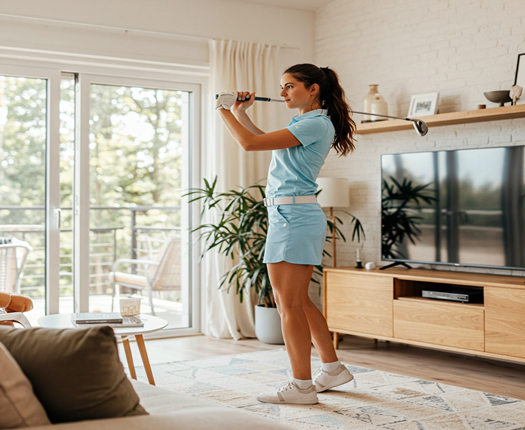
Golf simulators aren’t just for practice anymore—they’re becoming full-fledged content studios. Whether you’re hosting virtual golf lessons, streaming competitive rounds, or building a YouTube channel, a smart simulator setup can help you create engaging, professional-quality content right from home. Here’s how to build a simulator space that’s ready for the spotlight.
Why Stream Golf Content?
Streaming golf content offers:
- Audience engagement: Share tips, drills, and gameplay with fans
- Monetization potential: Build a brand through lessons, sponsorships, or affiliate links
- Community building: Connect with other golfers and creators
- Skill development: Teaching and playing on camera sharpens your own game
It’s a powerful way to turn your simulator into a platform.
What You’ll Need for a Streaming-Ready Setup
To stream effectively, combine golf gear with media tools:
- Phigolf 2 swing stick and sensor
- Display device: TV, tablet, or projector
- Camera setup: Webcam, DSLR, or smartphone tripod
- Microphone: Lavalier or USB mic for clear audio
- Lighting: Softbox or ring light to brighten your space
- Streaming software: OBS Studio, Streamlabs, or built-in platform tools
Phigolf 2 is ideal for this—it’s compact, portable, and perfect for hosting virtual golf lessons or gameplay sessions.
Content Ideas to Explore
Here are a few formats that work well on camera:
1. Live Lessons
- Teach swing drills, putting techniques, or warm-up routines
- Use overlays to show swing data and tips
2. Course Playthroughs
- Play virtual rounds and narrate your strategy
- Highlight course features and scoring decisions
3. Challenge Series
- Long drive contests, trick shots, or speed golf
- Invite guests or viewers to compete remotely
4. Gear Reviews
- Test training aids, clubs, or simulator accessories
- Share honest feedback and performance insights
Tips for Professional-Looking Streams
- Use a clean, well-lit background
- Position your camera to capture both swing and screen
- Add graphics or branding to your stream layout
- Engage with viewers through comments or live Q&A
- Record and repurpose content for social media or tutorials
Consistency and personality are key—make your content informative and fun.
Final Thoughts
A golf simulator setup for streaming content opens the door to creativity, connection, and career-building. Whether you’re teaching virtual golf lessons, hosting tournaments, or sharing your journey, Phigolf 2 gives you the tools to shine on screen. It’s not just practice—it’s performance.




Comments